What the customer needs顾客需要准备Apa yang pelanggan perlukan
- Internet connection网络连接Sambungan internet
- MyKad (Malaysians only)MyKad(仅限马来西亚人)MyKad (rakyat Malaysia sahaja)
- The SIM card, for its 19-digit card number (ICCID)SIM 卡,用于输入其19位卡号 (ICCID)Kad SIM, untuk no. kad 19 digit (ICCID)
- The MyKad owner present, for the face scanMyKad 持有人本人在场,用于人脸扫描Pemilik MyKad hadir, untuk imbasan wajah
- Good lighting光线充足Pencahayaan yang baik
- Age 18 or above年满18岁或以上Berumur 18 tahun ke atas
- MyDigital ID app installed and registered on the phone手机已安装并注册 MyDigital ID 应用Aplikasi MyDigital ID dipasang dan didaftarkan pada telefon
- A way to pay for the first plan: FPX, DuitNow QR, or a debit or credit card可支付首个配套的方式:FPX、DuitNow QR 或借记卡/信用卡Cara bayar pelan pertama: FPX, DuitNow QR, atau kad debit atau kredit
Part 1/3 · Partner sends the link第1/3部分 · 合作伙伴发送链接Bahagian 1/3 · Partner hantar pautan
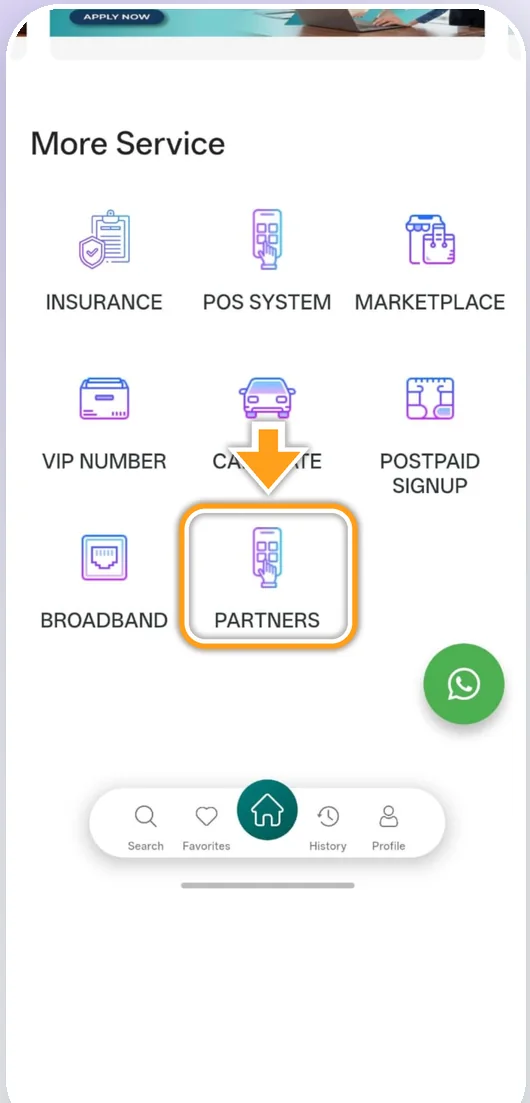
Open Partners打开 PartnersBuka Partners
Open the OTAMY app and tap Partners.打开 OTAMY APP,点击 Partners。Buka OTAMY APP dan tekan Partners.
Tap BeONE点击 BeONETekan BeONE
Tap BeONE.点击 BeONE。Tekan BeONE.

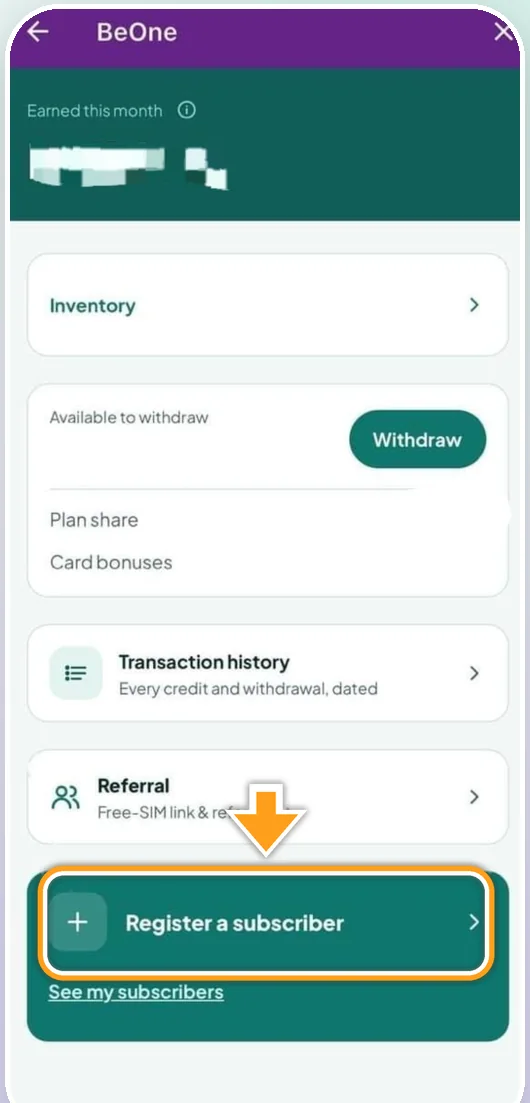
Register a subscriber注册用户Daftar pelanggan
Tap Register a subscriber.点击 Register a Subscriber。Tekan Register a Subscriber.
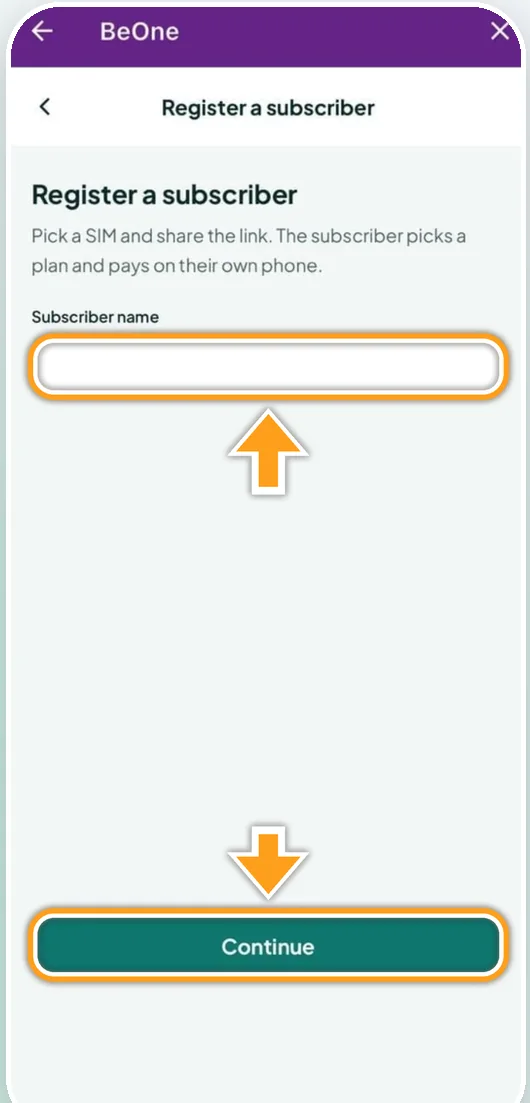
Enter the name输入姓名Masukkan nama
Enter the customer's name, then tap Continue.输入顾客的姓名,然后点击 Continue。Masukkan nama pelanggan, kemudian tekan Continue.
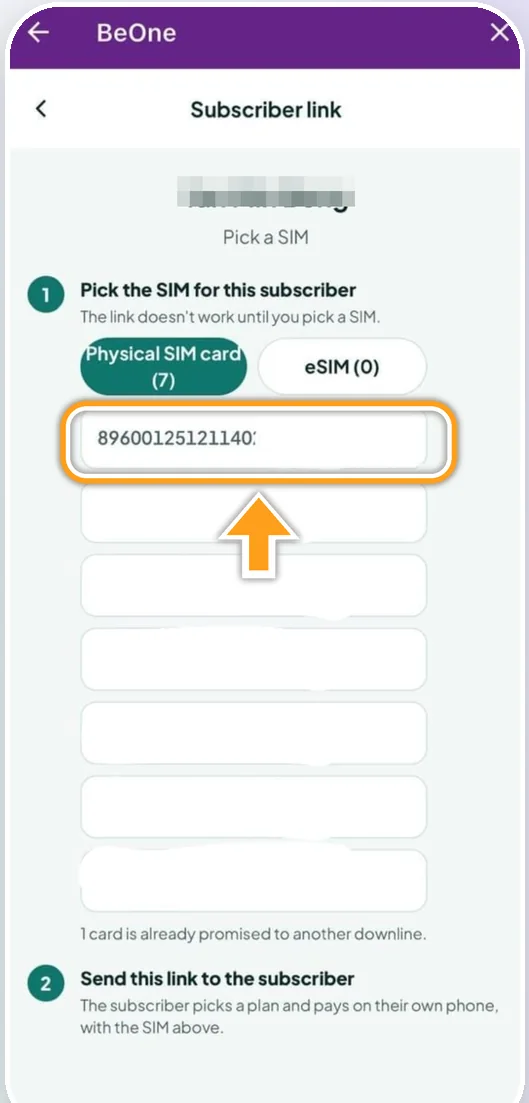
Pick the SIM选择 SIM 卡Pilih SIM
Pick the SIM card you are giving the customer. Its SIM card number (starts with 8960) must match the card.选择要给顾客的 SIM 卡。其 SIM 卡号码(8960 开头)必须与卡上一致。Pilih kad SIM yang akan diberi kepada pelanggan. No. kad SIM (bermula 8960) mesti sama dengan kad.
Send the link发送链接Hantar pautan
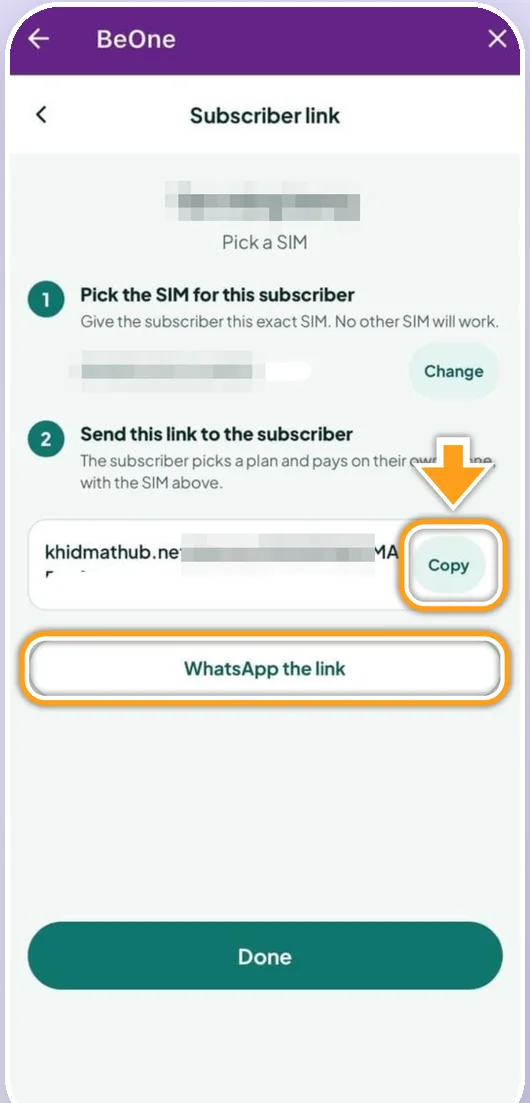
Tap Copy to copy the link, or tap WhatsApp the link to send it.点击 Copy 复制链接,或点击 WhatsApp the link 发送。Tekan Copy untuk salin pautan, atau tekan WhatsApp the link untuk hantar.
Part 2/3 · Customer verifies identity第2/3部分 · 顾客验证身份Bahagian 2/3 · Pelanggan sahkan identiti
Open the link打开链接Buka pautan
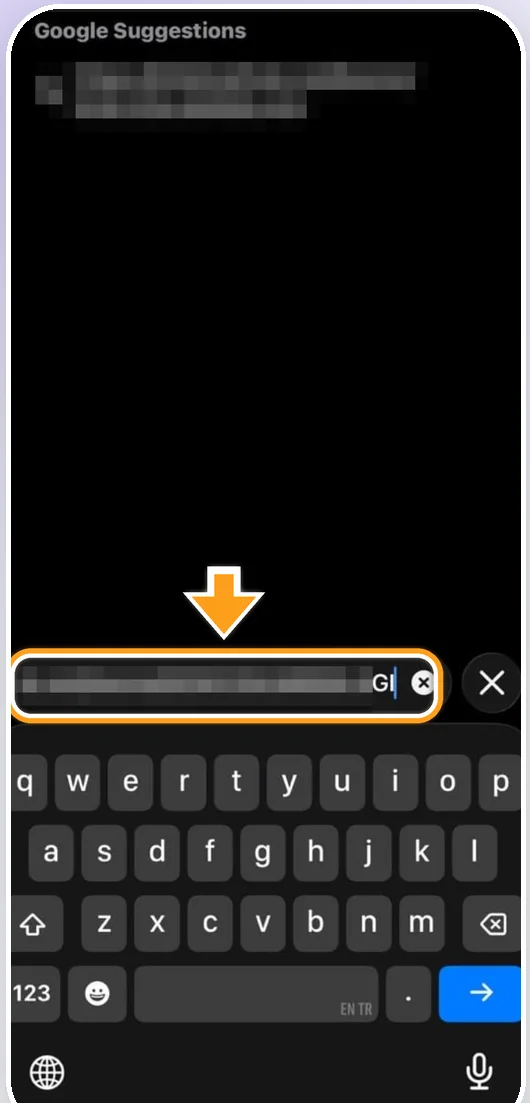
If copied, paste the link into Safari or Chrome. If sent by WhatsApp, just tap the link.如果已复制,请将链接粘贴到 Safari 或 Chrome。如果通过 WhatsApp 发送,直接点击链接即可。Jika disalin, tampal pautan dalam Safari atau Chrome. Jika dihantar melalui WhatsApp, cuma tekan pautan.
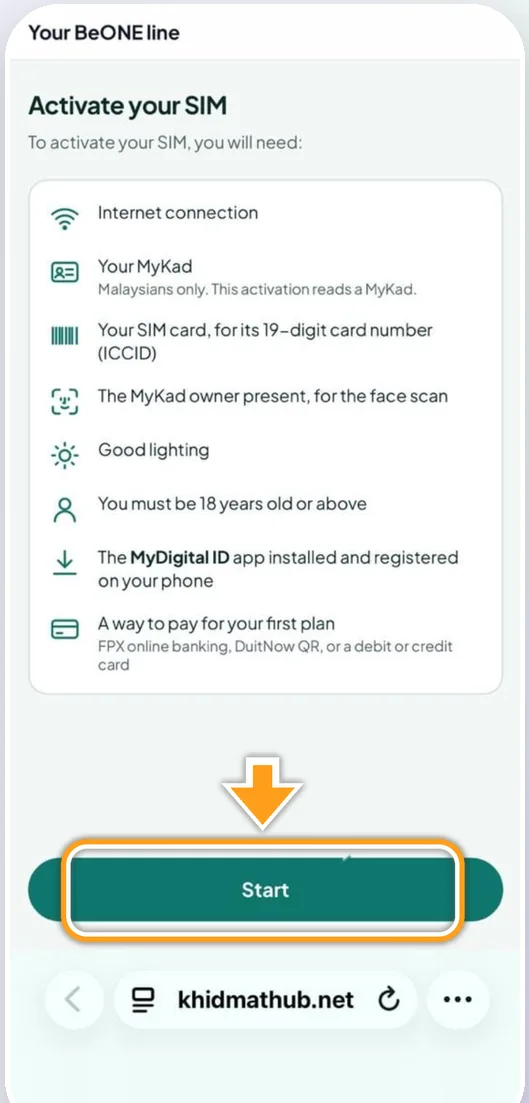
Tap Start点击 StartTekan Start
Read what is needed, then tap Start.阅读所需条件,然后点击 Start。Baca perkara yang diperlukan, kemudian tekan Start.
SIM card numberSIM 卡号码No. kad SIM
Enter the 19-digit SIM card number printed on the SIM card (starts with 8960), then tap Continue.输入 SIM 卡上印的19位 SIM 卡号码(8960 开头),然后点击 Continue。Masukkan 19 digit no. kad SIM yang tercetak pada kad SIM (bermula 8960), kemudian tekan Continue.
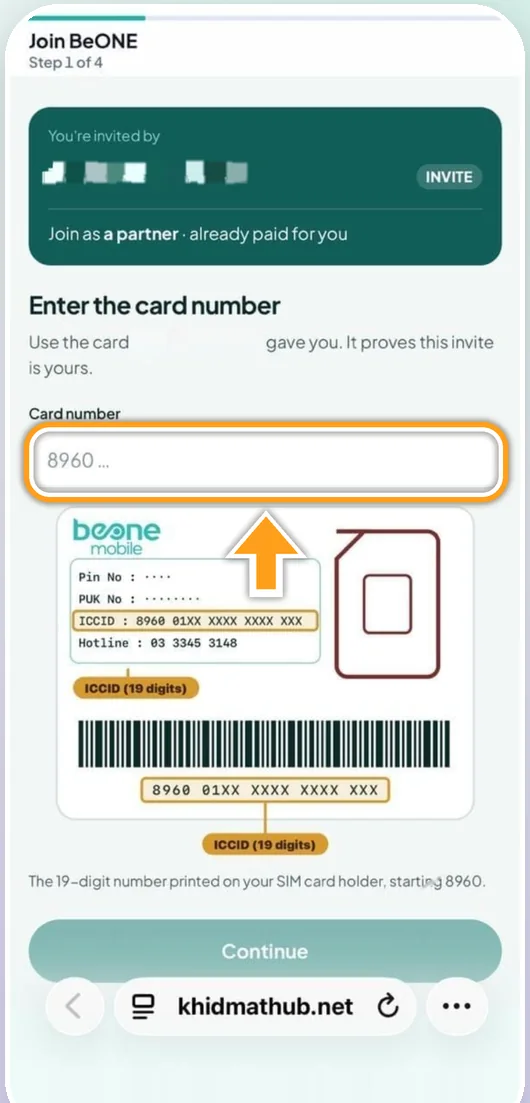
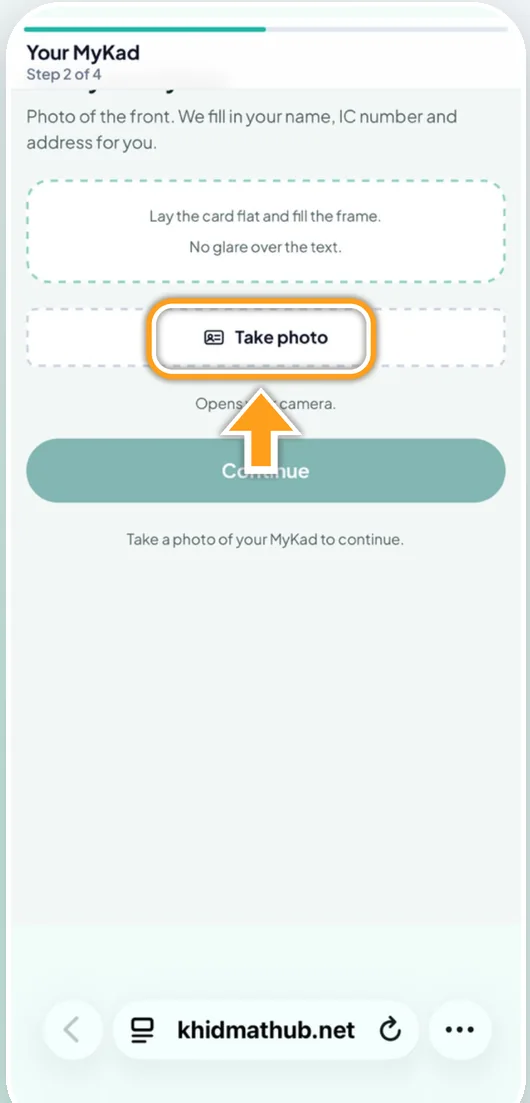
Photo of the IC拍摄 ICGambar IC
Tap Take photo and photograph the front of the customer's IC.点击 Take photo,拍摄顾客 IC 的正面。Tekan Take photo dan ambil gambar bahagian depan IC pelanggan.
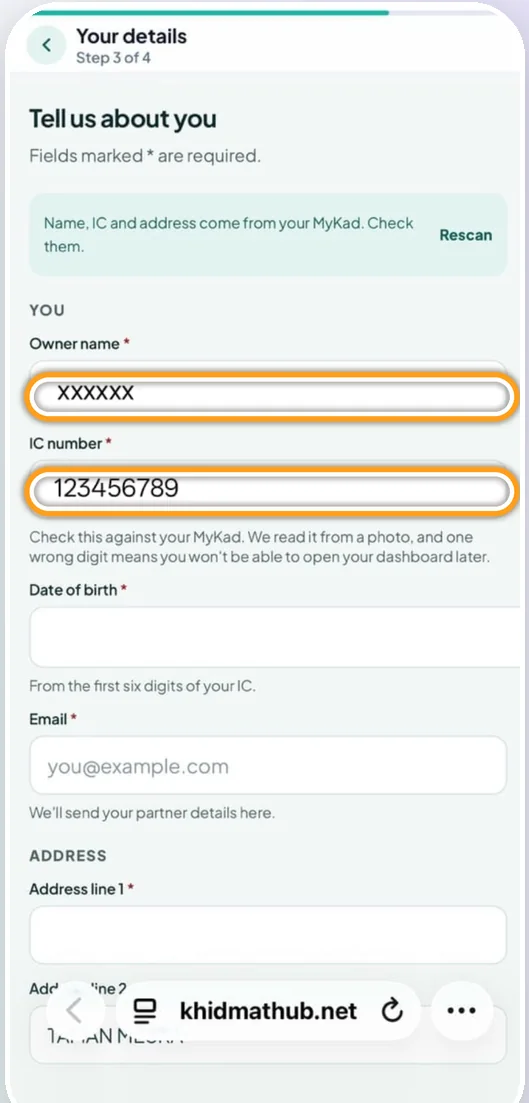
Check the details核对资料Semak maklumat
Check the customer's details. If all correct, tap Next.检查顾客的资料。如果全部无误,点击 Next。Semak maklumat pelanggan. Jika semua betul, tekan Next.
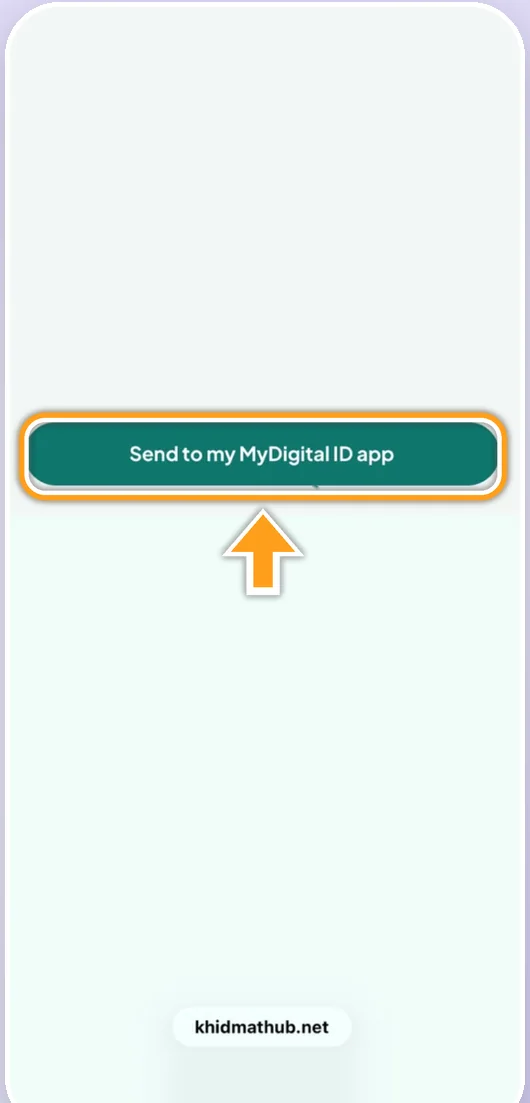
MyDigital IDMyDigital IDMyDigital ID
Tap Send to my MyDigital ID app. The customer then opens the MyDigital ID app on their phone.点击 Send to my MyDigital ID app,然后顾客在手机上打开 MyDigital ID 应用。Tekan Send to my MyDigital ID app. Pelanggan kemudian buka aplikasi MyDigital ID pada telefon mereka.
Part 3/3 · Choose, pay & activate第3/3部分 · 选择、付款并激活Bahagian 3/3 · Pilih, bayar & aktif
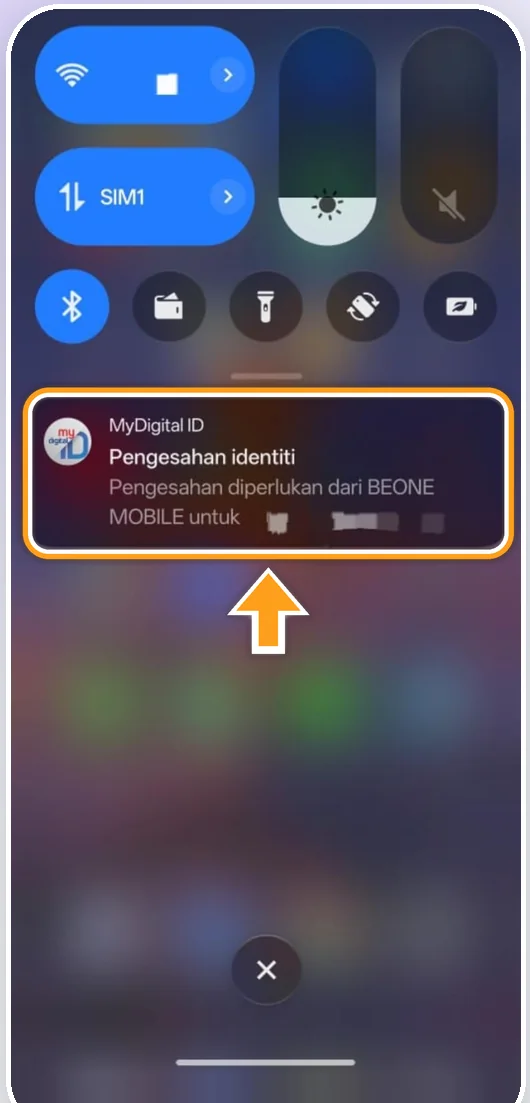
Open the notification打开通知Buka notifikasi
The customer taps the MyDigital ID notification (Pengesahan identiti) to continue.顾客点击 MyDigital ID 通知(Pengesahan identiti)继续。Pelanggan tekan notifikasi MyDigital ID (Pengesahan identiti) untuk teruskan.
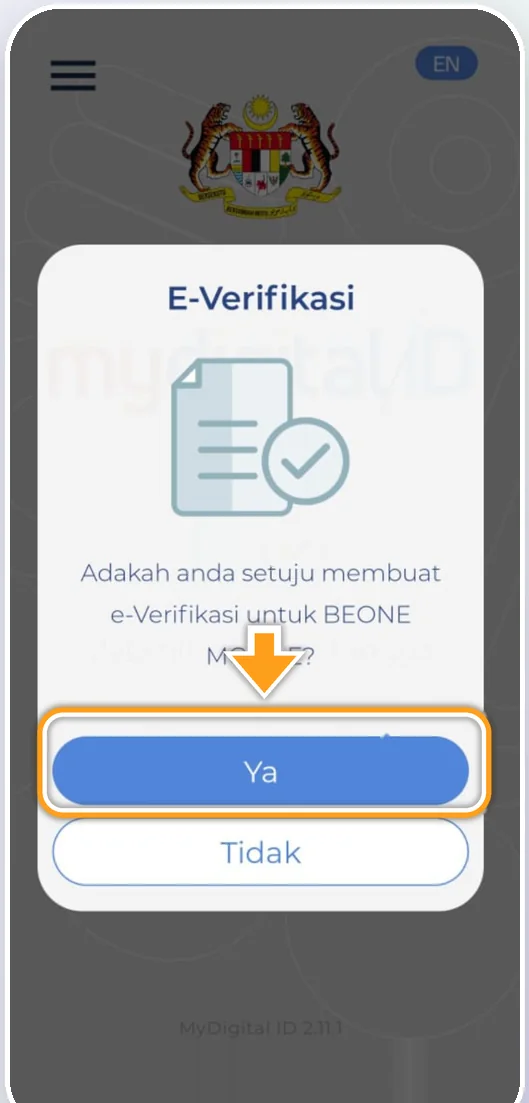
Tap Ya点击 YaTekan Ya
Tap Ya, then complete the face scan. Tap Continue when done.点击 Ya,然后完成人脸扫描。完成后点击 Continue。Tekan Ya, kemudian lengkapkan imbasan wajah. Tekan Continue apabila siap.
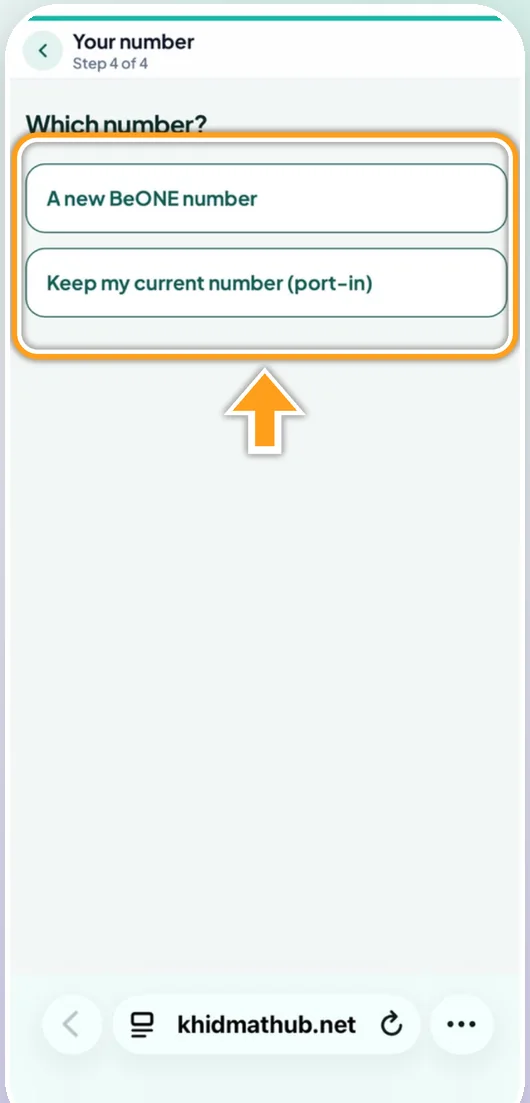
Choose the number选择号码Pilih nombor
Choose A new BeONE number, or Keep my current number (port-in) for MNP.选择 A new BeONE number(新号码),或 Keep my current number(port-in,转入 MNP)。Pilih A new BeONE number, atau Keep my current number (port-in) untuk MNP.
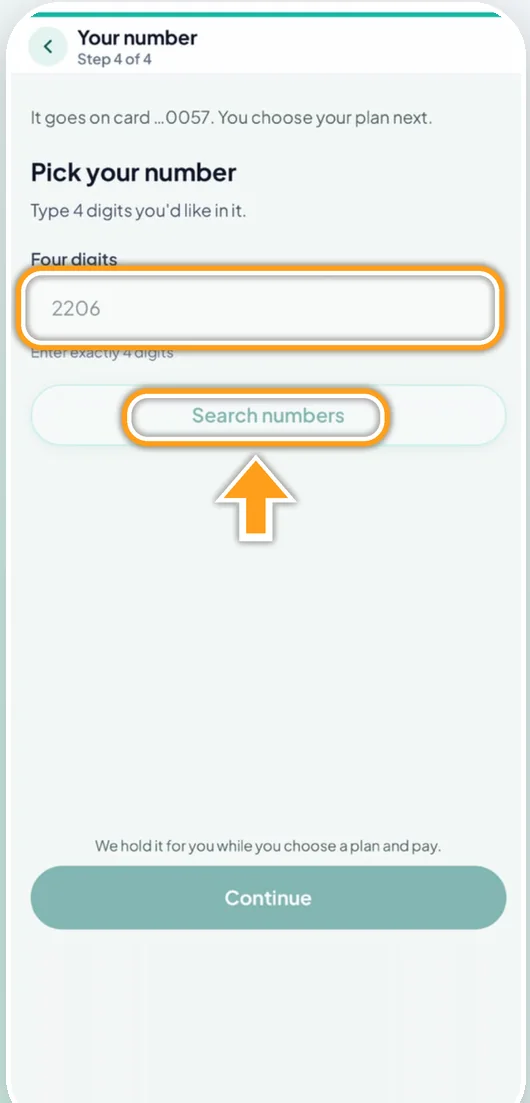
Pick a number搜索号码Cari nombor
For a new number, type the last 4 digits you want, tap Search numbers and pick one. Skip if keeping the number.如选新号码,输入想要的最后4位数字,点击 Search numbers 并选一个。保留旧号码则跳过。Untuk nombor baharu, taip 4 digit terakhir yang diingini, tekan Search numbers dan pilih satu. Langkau jika kekalkan nombor.
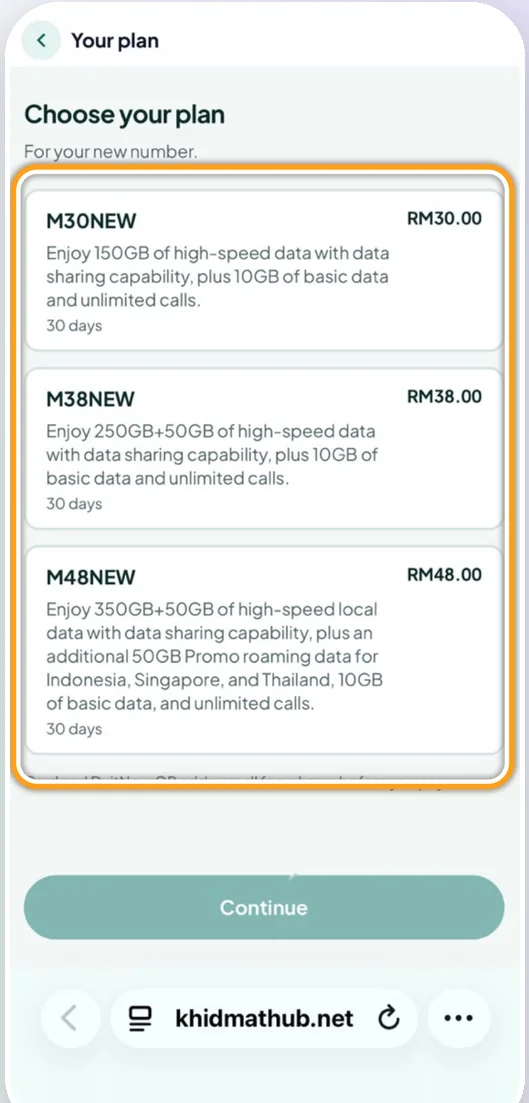
Choose the plan选择配套Pilih pelan
Choose a plan that suits the customer, then tap Continue.选择适合顾客的配套,然后点击 Continue。Pilih pelan yang sesuai untuk pelanggan, kemudian tekan Continue.
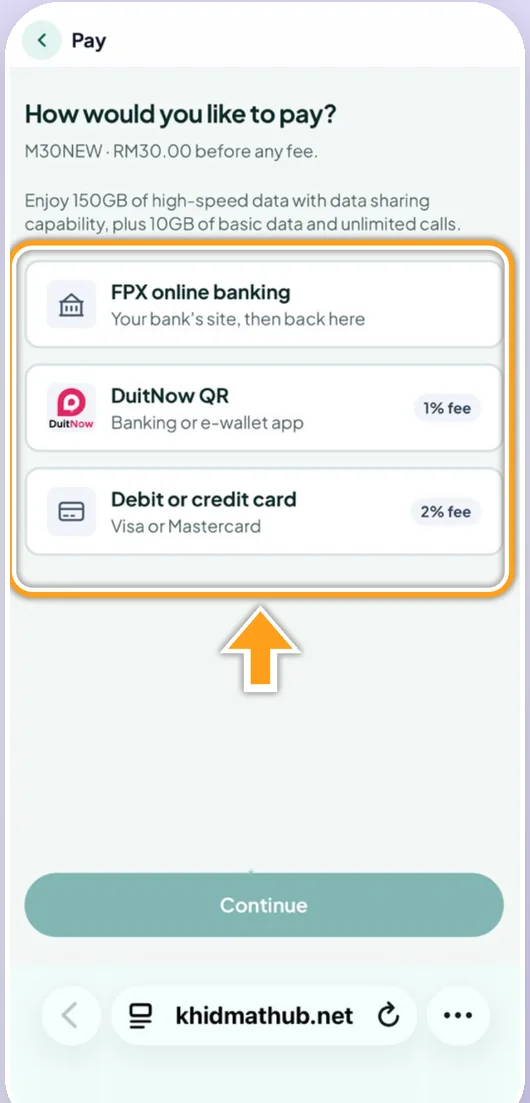
Pay & activate付款并激活Bayar & aktif
Pay by FPX (no fee), DuitNow QR (1% fee) or card (2% fee). One-time payment for the plan, not monthly. The SIM turns Active automatically.通过 FPX(免手续费)、DuitNow QR(1%)或银行卡(2%)付款。为配套的一次性付款,非每月付款。SIM 卡将自动激活。Bayar melalui FPX (tiada caj), DuitNow QR (caj 1%) atau kad (caj 2%). Bayaran sekali sahaja untuk pelan, bukan bulanan. SIM aktif secara automatik.